
Play Now
Join a Game
Characters
Shop
Tools
Compendium
Community

Sign In

Play Now
Join a Game
Characters
Shop
Tools
Compendium
Community
Sign In
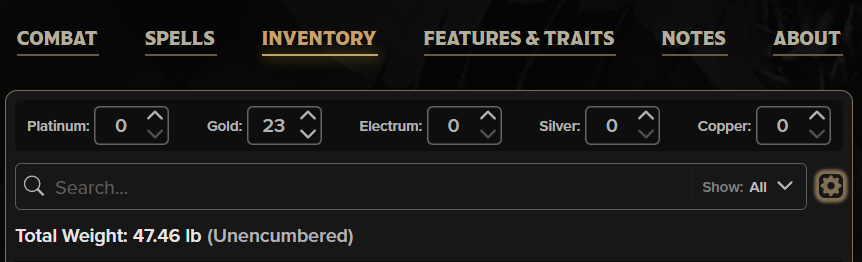
At the top, you'll find your cash, separated by type. It's set to the traditional names that the PHB uses, but what if your Gold Pieces are actually Crowns in your setting? You can use the gear settings, select the Currency option, and Manage Currencies to change the names and exchange rates of any of the currencies!
In this modal, you can also exchange your currency, so if you don't remember how many Electrum Pieces you get per Gold Piece, you can just input that you want to transfer 15 of your GP into EP and it will do the conversion for you. (It's 30 EP btw.)
If you've just got Too Much stuff and want to find the text of that artifact you found, you can also use the Search bar here in the header and even filter the results by type of item.
Finally, there's the total weight and whether you are Encumbered or not. Encumbrance details and options are also listed in the gear settings.
The last part of the gear settings that hasn't been mentioned yet is the Manage Items section. Here you can equip, unequip, view, or remove each item. However, everything you can do in this section is also available in the next section.
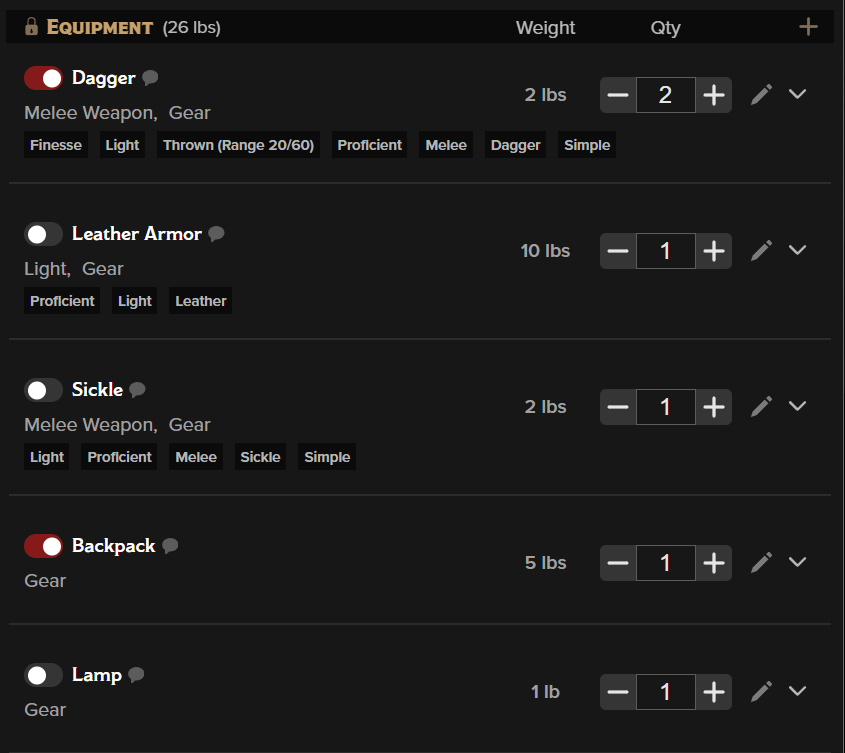
This is the meat and potatoes of your inventory (though meat and potatoes would actually go down below in Other Possessions). Your armor, weapons, anything that needs to be Equipped to be used will be in this section.
As you can see, there are toggles here. If the toggle is gray, that item is not equipped and all of the automations will be hidden from the sheet. If the toggle is red, the item is equipped and any attack, effect, condition, or other automations will be shown on the sheet appropriately. If you can't figure out why you don't have a Sickle attack on the combat tab, it may be because your sickle isn't equipped, as you can see in this example.
Many of these items have 'chips' underneath them that indicate special rules such as item properties and categories.
You can easily increment or decrement how many of an item you have using the Qty tracker, but if you have one item that has many resources or charges associated with it, you'll see red checkboxes underneath, such as our Wand of Fireballs at the bottom of the example image.
Resources are one of the more useful and powerful parts of the sheet. You can click right on the checkboxes to indicate using a charge or recovering a charge, and if the resource recharges on a Short Rest, Long Rest, or at Dawn, they will automatically recover when you click the appropriate Rest buttons!
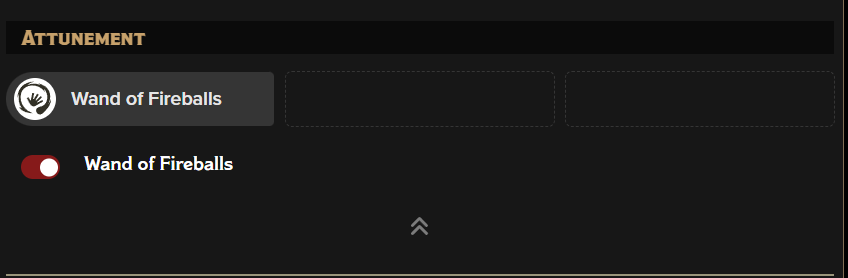 Many powerful items require attunement by the character using them, and each character can only attune to so many items. This is where you can determine which items your character is attuned to. All the items you possess that have an attunement option will be listed here. You can use the toggles to determine which ones you are actively attuned to.
Like Equipping, many of the automations of an item will be hidden if the item requires attunement, so if you can't figure out why your new magic item isn't showing on the Combat Tab, check that it is both equipped and attuned.
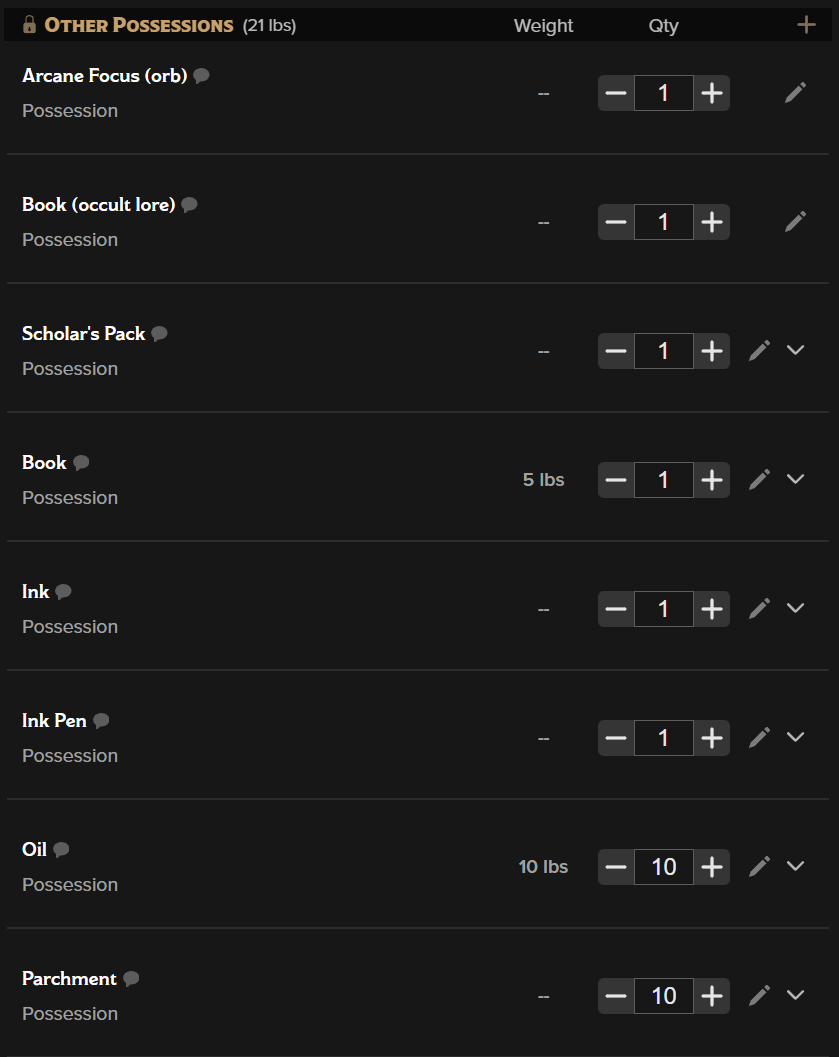 The only functional difference between Equipment and Other Possessions is that you don't equip possessions. These items always have their automations on your sheet because you always have access to them, even if they aren't being worn or carried in your hands. They still have weight, quantity markers, resources if necessary, and the expand/collapse button to read the descriptions, if there are descriptions beyond the name of the item.
Back to the main navigation!
Cookie Preferences